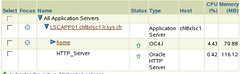
I installed OAS 10.1.3 on my notebook. Why? well, just to test if it is installable… and to justify my need of 2Gb of memory to my boss 😉
Ok, SLES10 is not certified yet, Not even planned yet on metalink. But it will definitely be certified one day.
The first step is to install the necessary packages
1) db1 : Berkeley DB Database Library Version 1.85
this package is needed, in order to avoid :
httpd: error while loading shared libraries: libdb.so.2:
cannot open shared object file: No such file or directory
2) openmotif21-libs, sysstat
as listed in the quick installation guide for SLES9
3) libgnome and libgnome-devel
replace the old gnome-libs and gnome-libs-devel
4) pdksh
ksh-93r seems to be suffisant
5) glibc 2.3 and gcc 3.3
no problem until yet by using glibc 2.4 and gcc 4.1
The second and last step is to launch the installer, with -ignoreSysPrereqs or with an updated install/oraparam.ini
That’s all. I did get some warning about memory and requirements, but it seems that it works.
I got this list from Dell support. They all support 4GB of memory which I needed to be able to run muliple VMWare instances on my laptop!
>>…to justify my need of 2Gb of memory to my boss
Is it the notebook from father christmas ?
😉
definitely, I could not accept a 1gb notebook, this is just suffisant for microsoft excel, not for database, rac and application server…
too bad I only have a D810 and not a D820… but maybe father christmas will come back next year 😉